

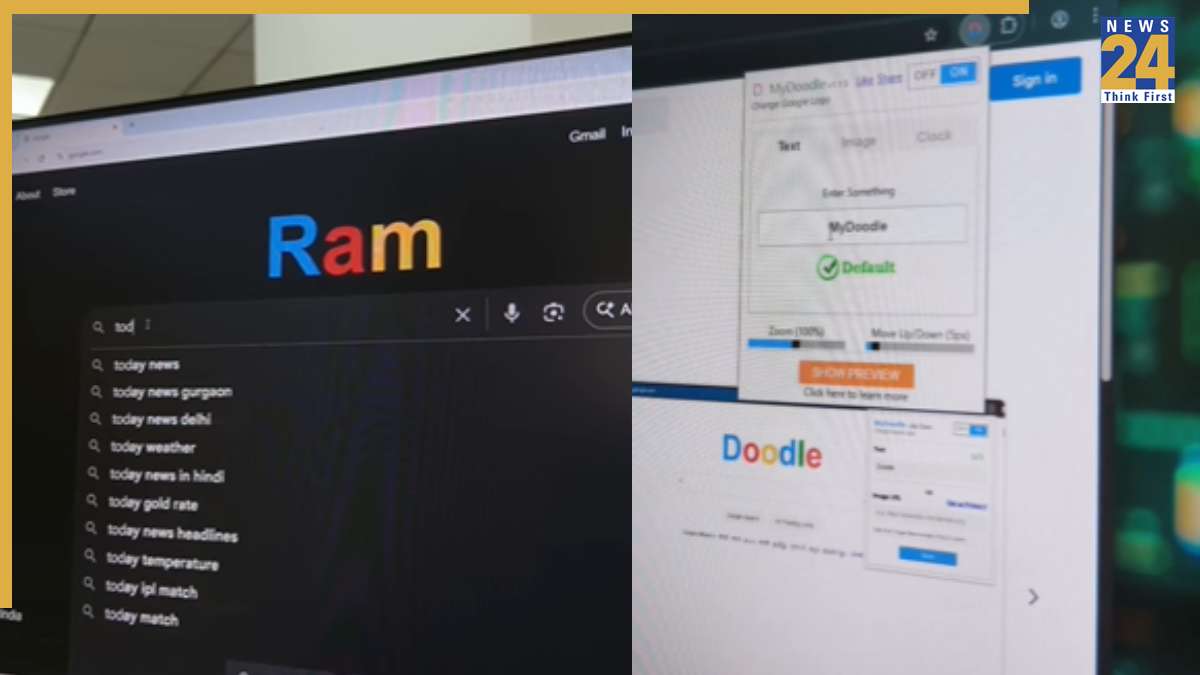
The standard Google logo is a fixture on every screen. However, you have the ability to replace it with your own chosen text or visual, expressing your individuality. This guide reveals a straightforward method to alter the Google logo and display custom content. This simple adjustment will help you stand out and add a personal touch to your browsing.
To get started, type “My Doodle” into the Google search bar. This search will lead you to a browser extension that you can easily integrate into your Chrome setup. After you have installed the extension, open its settings, and enter the text you’d like to display, personalizing the logo as you prefer. Once configured, the Google logo will be replaced with the text you chose, alongside options to refine the appearance even further. Keep in mind, this exclusive feature works solely on Google Chrome; other browsers do not support the extension.
Beyond logo customization, you can enhance your Chrome experience with Google themes, providing additional ways to customize your browser profile. Themes allow you to select different color schemes and fine-tune the settings to ensure your Chrome profile is both visually appealing and user-optimized.